Waitline

Let your customers wait anywhere but your waiting room.

Waitline is a virtual queue for walk-in businesses. People scan a QR code at the door, put their name down and follow their place on their phone. When it is their turn, they get a text and their screen lights up.

Start free

No app for your customers. No hardware. Set up in ten minutes.

Join in ten seconds

Scan the code at the door, type a name and a mobile number. No app, no account.

A real wait time

Their page shows how many people are ahead and an estimate based on your actual visit times.
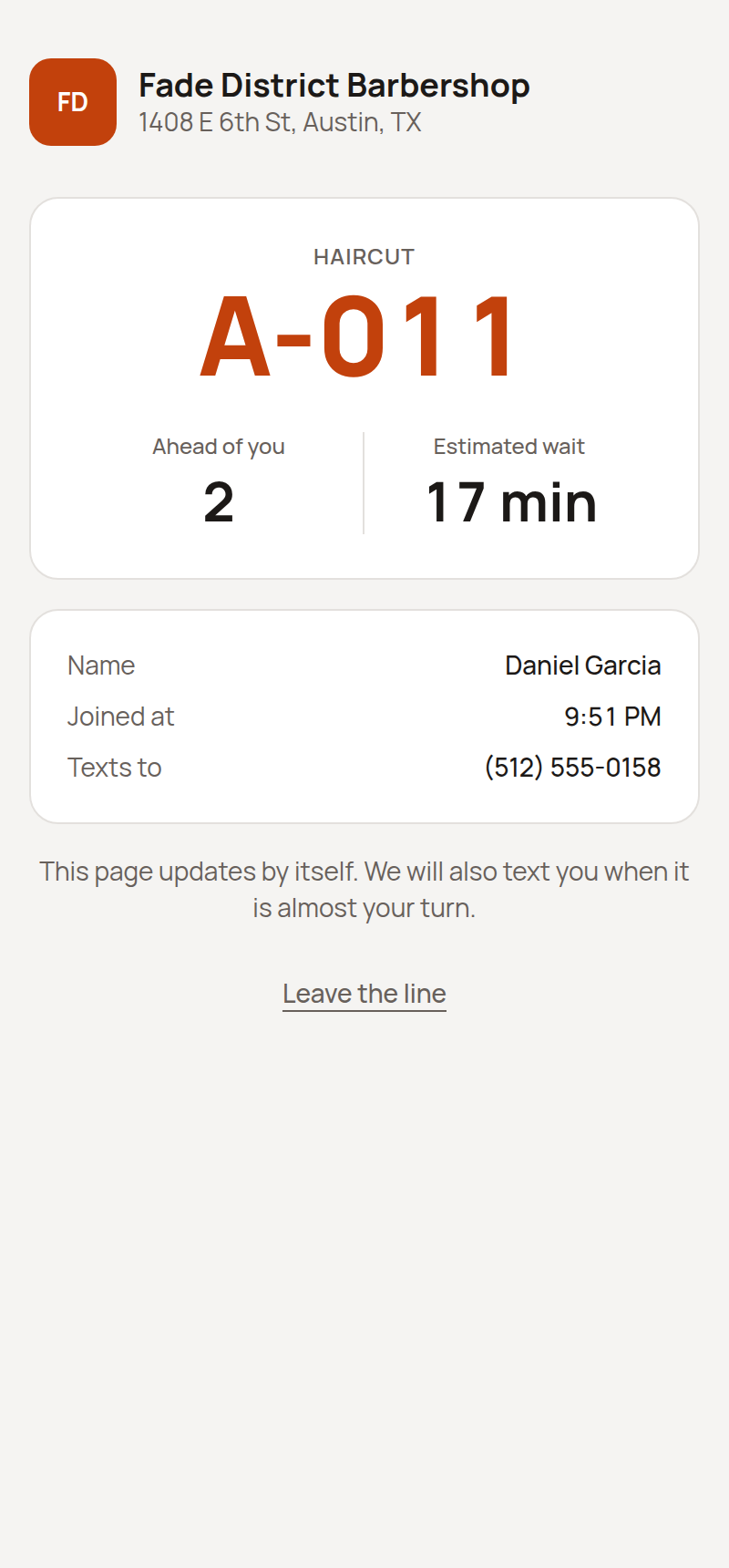
A customer’s phone showing their number in the line, people ahead and the estimated wait

A text when it is close

An “almost your turn” text brings them back from the coffee shop next door in time.

“It’s your turn” on their screen

When you call them, their page turns bright with the counter to go to, and beeps.
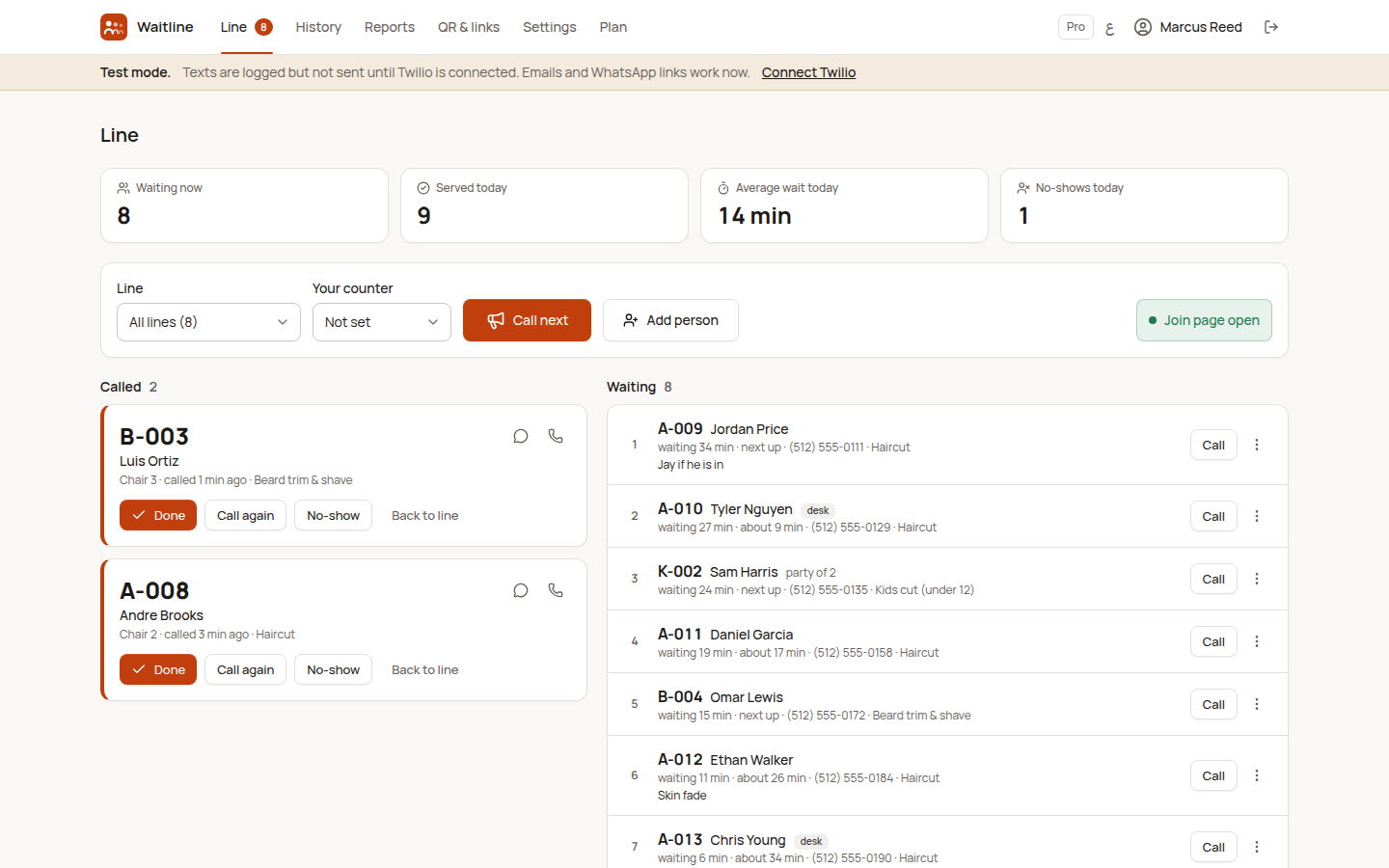
Your side: one screen for the whole line

See who is waiting and for how long, call the next person to your chair or desk, mark them done or a no-show, add walk-ins at the counter and move people between lines. Staff can run it from a tablet with a link, without your password.

The line board: people called to chairs, the waiting list in order, and today’s numbers

Live in an afternoon

  1. 01

    Set up your lines

    One line for most shops, or several (haircut, beard, kids). Add your counters, chairs or rooms.

  2. 02

    Print the poster

    Waitline makes a poster with your QR code. Put it on the door and the counter, and the TV screen in the waiting area.

  3. 03

    Call the next person

    Tap “Call next”. They get a text, their page changes and the TV shows their number.

Everything a walk-in line needs

Waiting-room TV screen
Open a link on any TV: numbers being called, who is next, and the QR code to join.
Texts on your own Twilio
Joined, almost your turn and your turn, written your way. About a cent each, paid to Twilio.
WhatsApp and email too
Send the turn message on WhatsApp in one tap, free. People who give an email get the same alerts.
Several lines and counters
Separate lines for different services, each with its own numbers. Call people to Desk 2 or Chair 3.
No-shows handled
Called people who do not come are marked no-show after the time you set, so the line keeps moving.
History and busiest hours
Every visit with wait and service time, daily totals, no-show rate and the hours to staff up. CSV export.

Plans

Start free with one line. Upgrade for more lines, the TV screen and opening hours.

Free

Free

One line for a small shop.

  • 1 line
  • 300 people a month
  • 50 texts a month
  • QR join page, live ticket page, history and reports
Start free

Pro

$19 / month

For one busy location.

  • 3 lines
  • 3,000 people a month
  • 1,500 texts a month
  • QR join page, live ticket page, history and reports
  • Waiting-room TV screen
  • Opening hours that close the join page
  • No platform name on your pages
Start free

Business

$49 / month

Several services or a large waiting room.

  • Unlimited lines
  • Unlimited people
  • Unlimited texts
  • QR join page, live ticket page, history and reports
  • Waiting-room TV screen
  • Opening hours that close the join page
  • No platform name on your pages
Start free

Questions

Do my customers need to download an app?

No. The QR code opens a web page in their phone’s browser. It works on any phone.

What if someone has no smartphone?

Add them at the desk with “Add person”. You can call them by name, and the TV screen shows their number.

Do I need Twilio?

Only for text messages. Without it, people follow their place on the page (it beeps when it is their turn), and you can send WhatsApp messages from your own phone.

How is the wait time estimated?

From your real visits: the average time of the latest finished visits in each line, divided by how many people you serve at once. Before there is history, it uses the minutes you enter.

Does it work for clinics, salons and service counters?

Yes: barbershops, salons, clinics, phone repair, car service, government and university offices, pop-up stores, food trucks. Anywhere people wait their turn.

Can I use it in Spanish, French or Arabic?

The join page, the customer’s page, the TV screen and the texts come in English, Spanish, French and Arabic. The dashboard is in English and Arabic.

Give your customers their time back.

Set up your line, print the QR code and take your first walk-in today.

Start free